
Computer Aided Design (CAD) Basics
Suggestion: USE AN EXTERNAL OPTICAL COMPUTER MOUSE FOR THESE DRAWING EXERCISES! It is much easier to design on SketchUp with a mouse vs. using the trackpad on your laptop.

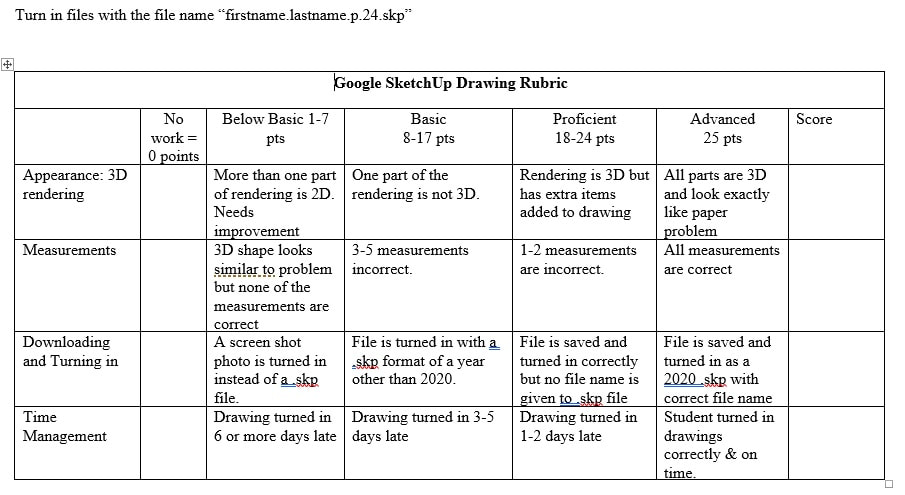
| google_sketchup_drawing_rubric.pdf |
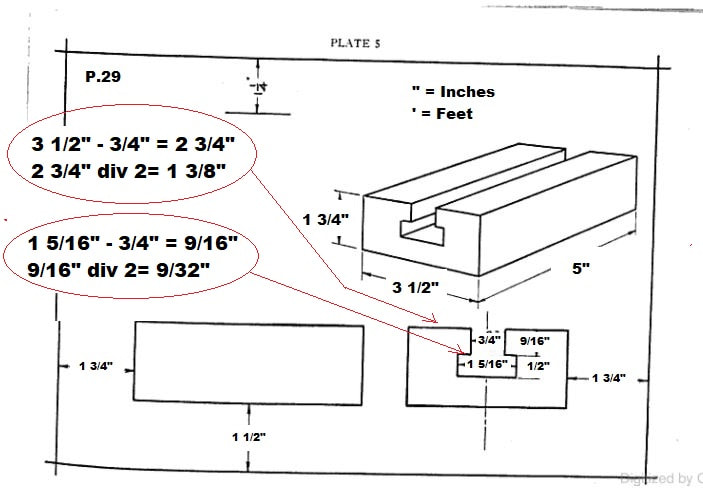
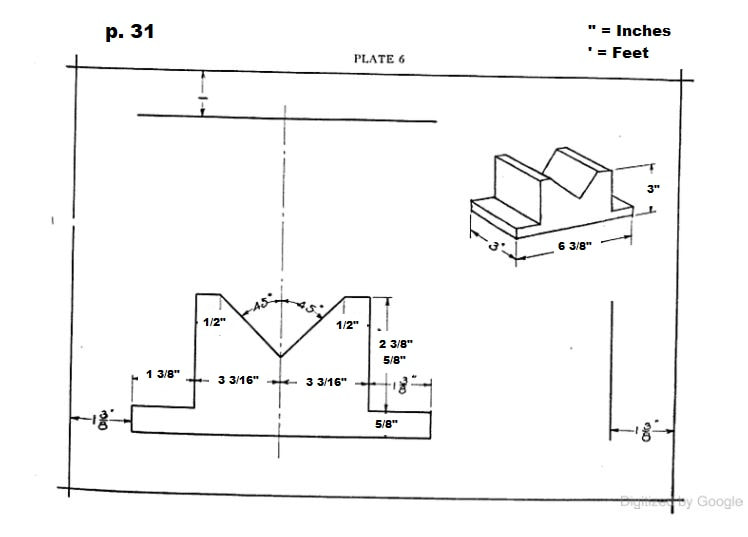
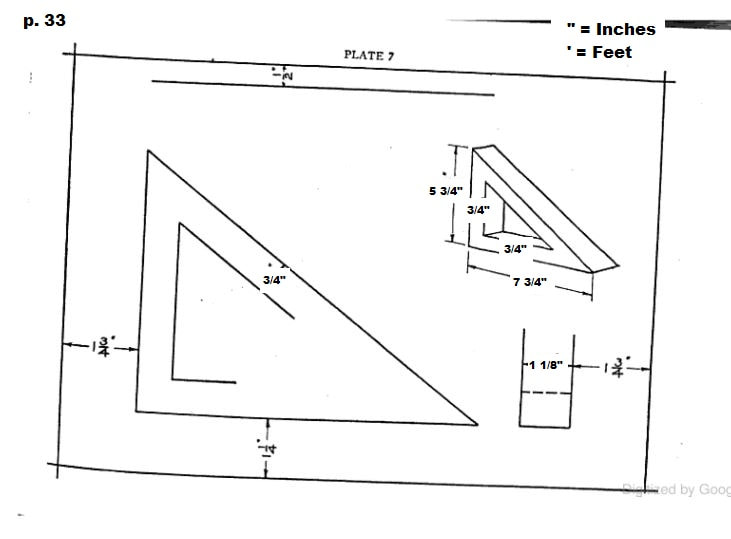
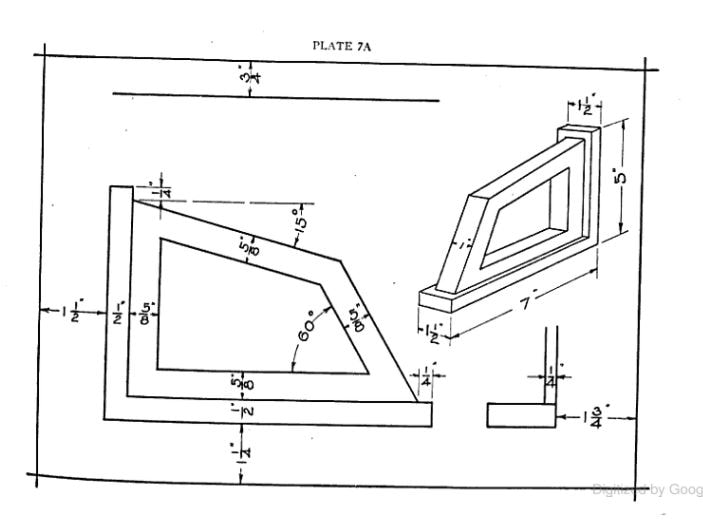
CAD Design Training (500 points total)
(100 points for each drawing + 100 points for the Quiz)
Instructions:
1. Click on the blue SketchUp Web Version button above. Log in with your school/university email account.
2. Click on the Blue Mechanical Drawing Textbook button above and turn to page 29.
3. Watch the 1st and 4th videos below instructing you how to draw and how to turn in p.29 drawing.
4. Save and turn in work digitally. (Ex. "firstname.lastname.p.29.skp")
5. Repeat the process of watching videos for p. 31 and p. 33 and turn in work digitally.
6. Click on the red Google SketchUp Basics Quiz above and complete.
7. Using the online textbook, select one of the following problems (p. 35, 37, 41, 51, 53, or 59) and draw it using Google SketchUp without the use of an instructional video. Make sure to save noting which problem you completed in the file name and submit digitally.
(100 points for each drawing + 100 points for the Quiz)
Instructions:
1. Click on the blue SketchUp Web Version button above. Log in with your school/university email account.
2. Click on the Blue Mechanical Drawing Textbook button above and turn to page 29.
3. Watch the 1st and 4th videos below instructing you how to draw and how to turn in p.29 drawing.
4. Save and turn in work digitally. (Ex. "firstname.lastname.p.29.skp")
5. Repeat the process of watching videos for p. 31 and p. 33 and turn in work digitally.
6. Click on the red Google SketchUp Basics Quiz above and complete.
7. Using the online textbook, select one of the following problems (p. 35, 37, 41, 51, 53, or 59) and draw it using Google SketchUp without the use of an instructional video. Make sure to save noting which problem you completed in the file name and submit digitally.
The video shows page 24, however the drawing problem is on page 29 of the book now.- 3D modeling training video below.
The video shows page 26, however the drawing problem is on page 31 of the book now.3D modeling training video below.
The video shows page 28, however the drawing problem is on page 33 of the book now.- 3D Modeling Training Video below.
How to save and download your Google SketchUp Drawings to turn in on Google Classroom.